Help
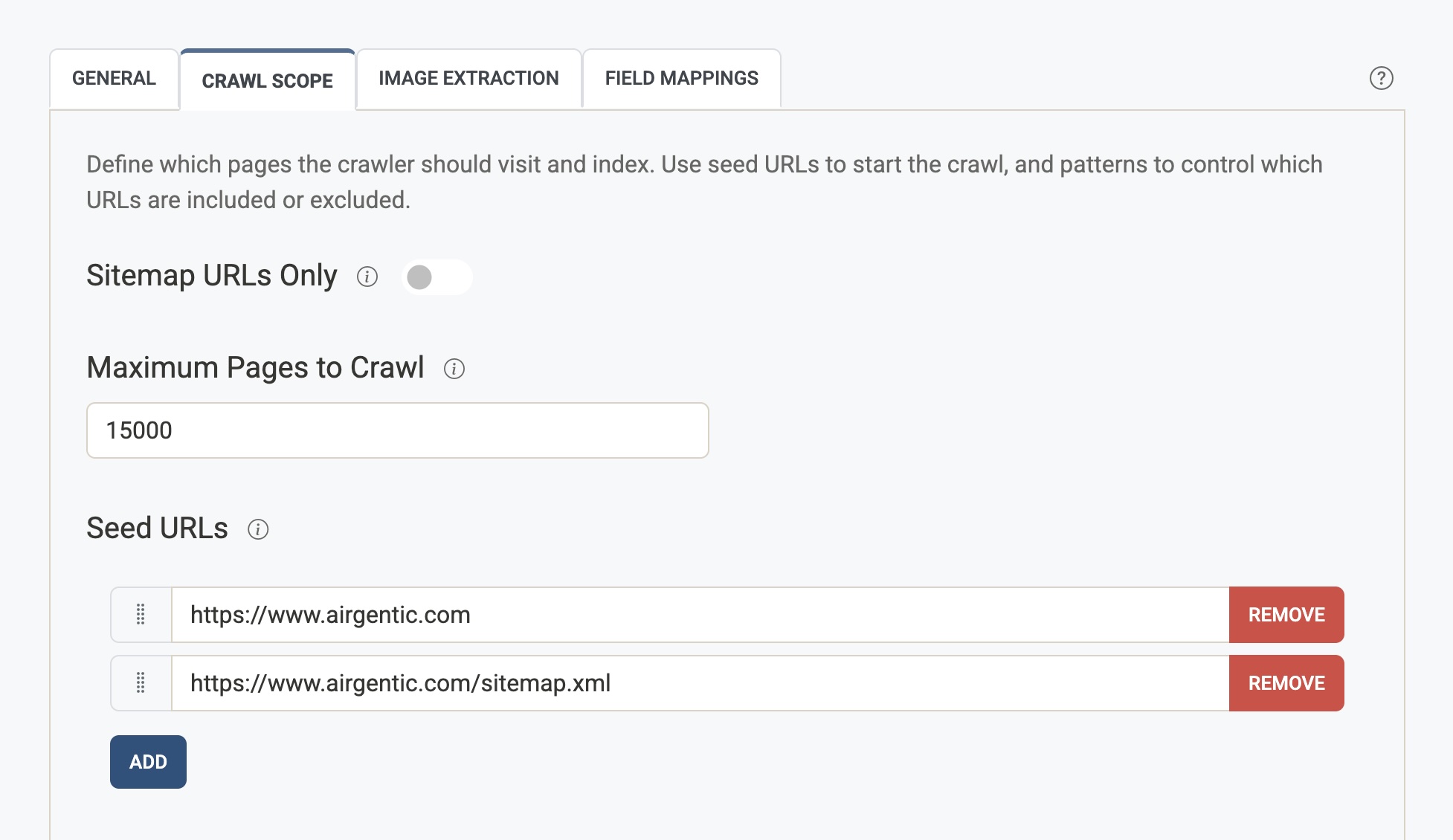
The Crawl Scope tab defines which pages the crawler visits and indexes. You set starting URLs (seeds), limits, and patterns that include or exclude URLs. → Open Crawler Settings (Crawl Scope tab)
Sitemap URLs Only
When enabled, the crawler only visits URLs that appear in the sitemap(s) of your seed URLs. It will not follow links discovered on pages. Use this when your sitemap is the single source of truth and you want to avoid crawling navigation or other off-sitemap pages.
Maximum Pages to Crawl
The maximum total number of pages the crawler will attempt to download and process for this service. Once this limit is reached, the crawl stops. Use it to cap crawl size or run shorter test crawls.
Seed URLs
The starting URLs for the crawl. The crawler begins from these addresses and then follows links (subject to the other scope rules). Add your homepage, main section URLs, or sitemap URLs. You can add multiple seeds and reorder them (e.g. homepage first, then sitemap).
Include URL Patterns
Substrings that a URL must contain to be crawled. If this list is empty, all URLs that match the seed domains are considered (unless excluded). If you add patterns (e.g. /products/, /blog/), only URLs containing at least one of these substrings are eligible. Order matters for display; the crawler treats them as a set.
Include URL Patterns (Content Only, No Follow)
URLs matching these patterns are indexed (their content is stored), but links on these pages are not followed for further crawling. Use this for archive sections, listing pages, or content hubs where you want the page itself in the index but don’t want the crawler to follow every link from them.
Exclude URL Patterns
Substrings that cause a URL to be ignored by the crawler. Exclude takes precedence over include. Typical examples: /admin/, /temp/, /login, or query-heavy paths you don’t want indexed.
URL Parameter Blacklist
Query parameters that are removed from URLs before processing (e.g. session_id, utm_source, ref). This reduces duplicate content when the same page is reachable with different tracking or session parameters. List one parameter name per line (without = or value).
URL Parameter Whitelist
Query parameters that must always be preserved and never stripped. Use this for parameters that change the content (e.g. product_id, category). Parameters learned by the system’s “trap avoider” may appear here automatically.
Do Not Store URL Patterns
URLs matching these patterns are crawled for links (so the crawler can discover more URLs from them), but their content is not stored or indexed. Use for navigation, sitemaps, or redirect pages where you only care about link discovery.
Advanced
Respect robots.txt Directives
When enabled, the crawler honours robots.txt files on target sites. This covers disallow rules and, by default, any Crawl-delay the site publishes — where a site asks for a slower rate than your configured politeness delay, the crawler uses the slower one, up to a limit of 500ms per page. Requests slower than that limit are ignored, since many sites publish a rate aimed at search engine bots that would take weeks to complete a full crawl. Disable only if you have permission to ignore robots.txt for that host.
Respect Robots NoIndex Metadata
When enabled, the crawler respects noindex in robots meta tags and X-Robots-Tag HTTP headers and skips indexing for those pages.
Maximum Pages Per Host
The maximum number of pages crawled per host (e.g. per subdomain). Leave blank for no limit. Use to balance coverage across multiple hosts or to avoid over-crawling one host.
Maximum Page Size (MB)
The maximum size of a page (in megabytes) that the crawler will download. Larger pages are rejected to avoid memory issues and long download times. Default is typically 50 MB.
Page Version Parameters
Query parameters that select a version of the same page, such as type=wedding on a venue page. Unlike the URL Parameter Blacklist, these parameters are kept: each version stays crawled and indexed. When Group page versions is turned on, search shows the versions as one result and prefers the URL that does not include the parameter (the bare page, rather than ?type=wedding).
Add one parameter name per row, without = or a value (for example type). Leave the list empty when each parameter value is a different page, or when you would rather show every version separately.
The grouping is stored when pages are indexed, so after you save you will be asked to reprocess the site. Until that finishes, search still shows the versions separately.