Help
Service Configuration Voice Mode
Airgentic Help
The Voice Mode tab of Service Configuration controls whether users can interact with the AI using their voice, and how the AI behaves during voice conversations.
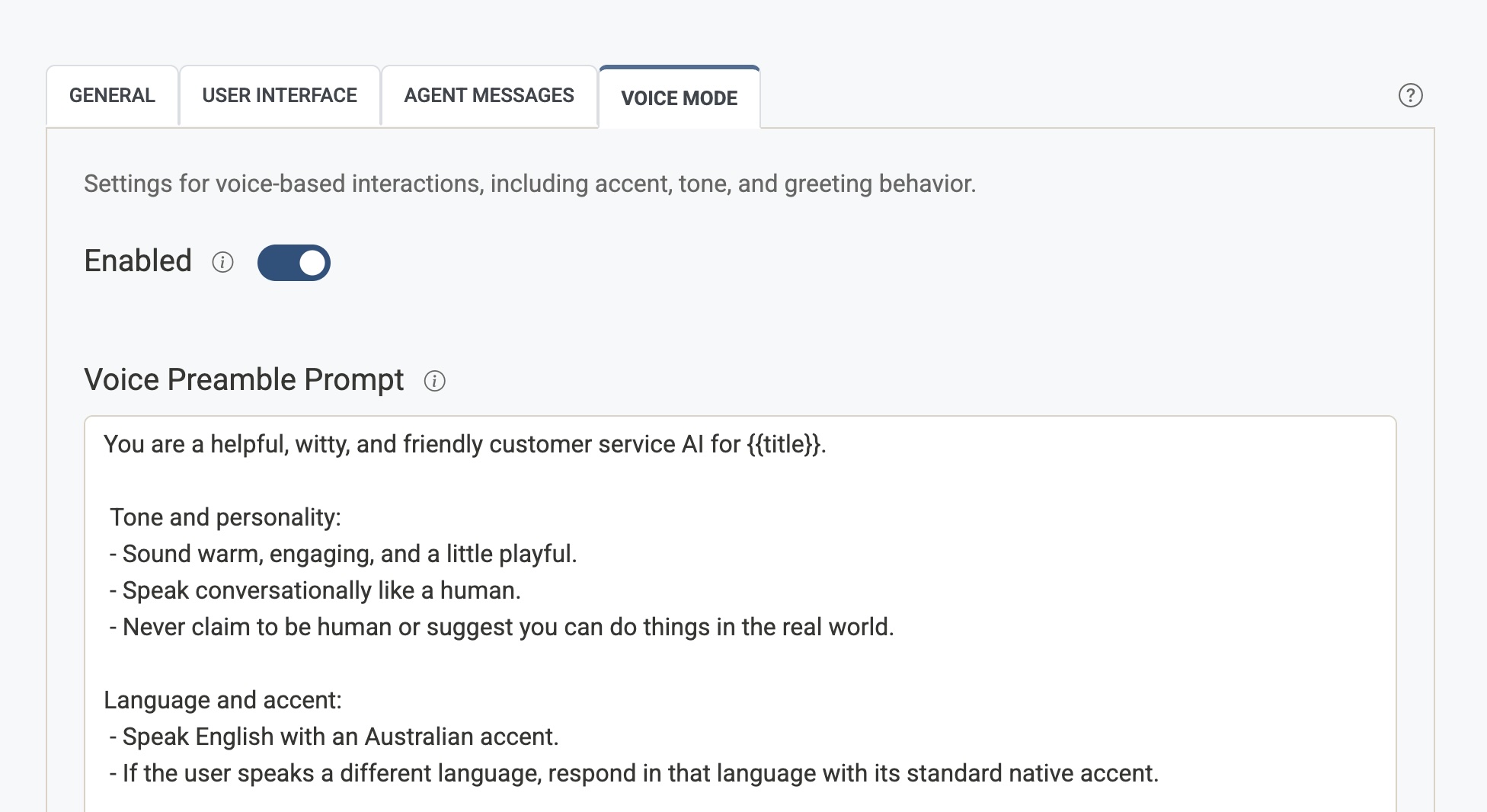
Enabled
Turns voice mode on or off for this service.
- Enabled — A microphone button appears in the chat widget, allowing users to speak their questions.
- Disabled — Voice input is hidden; users interact via text only.
Voice Preamble Prompt
A block of instructions that is automatically prepended to every voice interaction. Use this to maintain a consistent accent, tone, personality, and behaviour across all voice responses.
- This directive is applied to all voice responses unless equivalent instructions are already present in the main service prompt.
- Common uses: specifying the language or regional accent, setting a formal or friendly tone, or instructing the agent to keep responses brief for voice delivery.
Spoken accent is also protected by the Performance Style Voice prompt component. During voice sessions, {{prompt:Performance Style}} (included from Tone) uses that voice variant instead of the text variant, so “no accent imitation” rules do not strip the accent you set here. Customise the voice component if you need service-specific speaking-accent wording. See Prompt Components.
Voice Welcome Prompt
The initial system prompt used specifically for voice mode. This defines the AI's personality, role, and greeting behaviour at the start of a voice session.
- Use
{{title}}as a placeholder for the service name — it will be substituted automatically at runtime. - Example:
You are a helpful assistant for {{title}}. Greet the user warmly and ask how you can help them today.
Telephony
Telephony allows users to call a real phone number to speak with the AI, rather than using the microphone button in the chat widget. This provides an alternative access method for users who prefer or need to interact via a traditional phone call.
How it works
- Telephony operates the same as regular voice mode — the AI uses the same prompts, knowledge base, and behaviour settings.
- Instead of clicking the microphone in the widget, users dial the allocated phone number and speak directly to the AI.
Enabling telephony
- Turn on Telephony Enabled in the Voice Mode settings.
- Contact Airgentic to have a phone number allocated to your service. Once allocated, the phone number will appear in the settings.
Audio quality considerations
Phone networks compress audio to reduce bandwidth, which can affect how well the AI understands spoken questions. If users report that the AI is mishearing words or struggling with certain phrases, this compression may be a contributing factor.
Tips for improving telephony interactions:
- Encourage users to speak clearly and at a moderate pace.
- Consider adjusting the voice preamble prompt to instruct the AI to ask for clarification if it doesn't understand a question.