Help
The Security screen controls who can access your Airgentic service, which websites are permitted to embed it, and API access to analytics data.
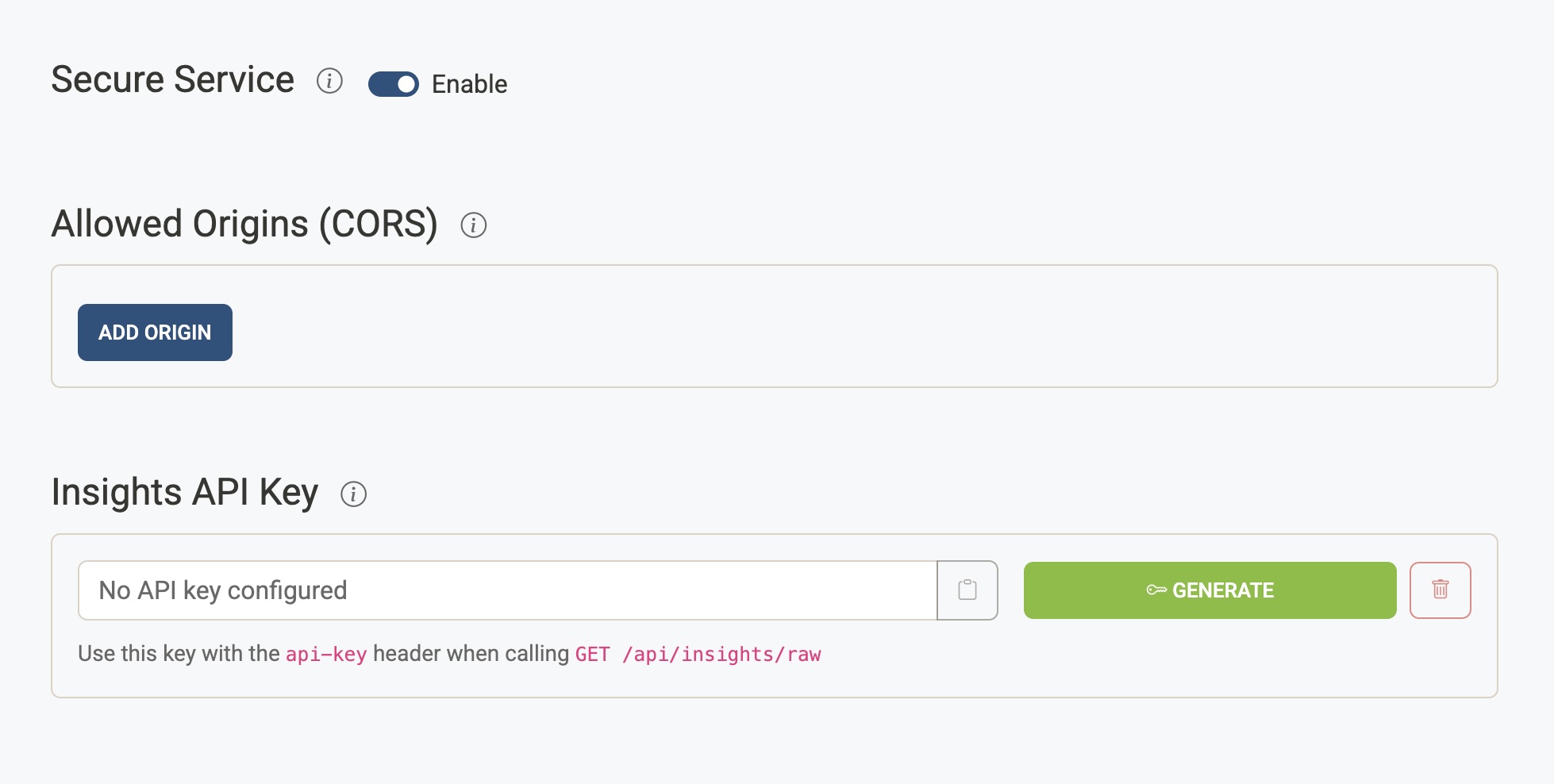
Allowed Origins (CORS)
A list of website origins that are permitted to embed or host the Airgentic frontend. Requests from any origin not on this list will be blocked by the browser's cross-origin policy.
- Enter each origin as a full URL including the scheme and domain, e.g.
https://www.example.com - Click Add Origin to add a new entry and Remove to delete one
- Leave the list empty to allow all origins (not recommended for production)
This setting should include every domain where your widget is embedded. If you see the widget failing to load or API calls being blocked in the browser console, an unlisted origin is the most common cause.
reCAPTCHA Protection
Airgentic can use Google reCAPTCHA v3 to help protect public chat and Ask interfaces from automated abuse. When enabled, reCAPTCHA runs only when a visitor is likely to ask a question, such as opening the chat widget, focusing the question input, or clicking an example question.
The Allowed Origins list is also used to validate the hostname returned by Google reCAPTCHA. Keep this list up to date with every domain where the widget or search UI is embedded.
Airgentic displays the required reCAPTCHA notice in the chat UI. Ensure your own privacy policy explains that reCAPTCHA is used for security, fraud, and abuse prevention.
Insights API Key
An API key that grants programmatic read access to raw analytics data via the GET /api/insights/raw endpoint. See the Analytics API reference for full request and response details.
Pass the key in the api-key request header when calling the endpoint.
| Action | Description |
|---|---|
| Generate | Creates a new API key. Only available when no key exists. |
| Regenerate | Replaces the existing key with a new one. The old key is immediately invalidated — any integrations using it will need to be updated. |
| Copy | Copies the key to your clipboard. |
| Delete | Removes the key entirely. The endpoint will reject all requests until a new key is generated. |
Store the API key securely. It is displayed in full only on this screen.
The Open in API docs link next to the key opens the live Swagger reference for the Insights endpoint, scrolled to the relevant operation.
Document Ingestion API Key
An API key that grants programmatic write access to upload documents to your service via the POST /api/accounts/{account_id}/services/{service_id}/document-ingestions endpoint. See the Document Ingestion API reference for full request and response details.
This API is the programmatic equivalent of the Upload Documents screen — it lets external systems push CSV, PDF, Word, or HTML files into your service, optionally trigger indexing, and optionally hand the file off to a customer-defined processor script for further handling.
Pass the key in the api-key request header when calling the endpoint.
| Action | Description |
|---|---|
| Generate | Creates a new API key. Only available when no key exists. |
| Regenerate | Replaces the existing key with a new one. The old key is immediately invalidated — any integrations using it will need to be updated. |
| Copy | Copies the key to your clipboard. |
| Delete | Removes the key entirely. The endpoint will reject all upload requests until a new key is generated. |
Store the API key securely. It is displayed in full only on this screen.
The Open in API docs link next to the key opens the live Swagger reference for the Document Ingestion endpoint, scrolled to the relevant operation.
Secure Service
When enabled, the chat widget is restricted — only authorised users can interact with it. When disabled, the service is publicly accessible to anyone who visits the page it is embedded on.
Use this setting for internal tools, intranet deployments, or any service that should not be available to the general public. For a comprehensive guide to setting up secure services, see Secure Services Overview.
When secure service is enabled, additional configuration options appear for controlling user access and configuring single sign-on (SSO).
Note: Enabling secure service automatically configures secure image serving, ensuring that document images are fetched through an authenticated proxy rather than directly from public storage.
Allowed Users
A list of email addresses for users who are permitted to access the secure service. Enter one email address per line.
- Users must authenticate via your configured identity provider
- After authentication, their email is checked against this list
- If the list is empty, email-based restrictions are not applied (other restrictions such as email domains or groups may still apply)
This is useful for small teams or pilot deployments where you want to explicitly control access by individual user.
Authorization Settings
Allowed Email Domains
Restrict access to users whose email addresses belong to specific domains.
- Enter domain names without the
@symbol, e.g.example.com - Click Add Domain to add a new entry and Remove to delete one
- Users with email addresses from any listed domain will be permitted access
- If the list is empty, domain-based restrictions are not applied
This is useful for allowing all employees of an organisation without listing each email individually.
Required Groups
Restrict access to users who belong to specific groups or roles in your identity provider.
- Enter group names exactly as they appear in your IdP's group claims
- Click Add Group to add a new entry and Remove to delete one
- Users must belong to at least one listed group to access the service
- If the list is empty, group-based restrictions are not applied
This integrates with your IdP's group membership (e.g. Azure AD security groups, Okta groups).
OIDC (Single Sign-On)
Configure authentication via your organisation's identity provider using OpenID Connect (OIDC).
Identity Provider
Select your organisation's identity provider from the dropdown:
| Provider | Description |
|---|---|
| Microsoft Entra ID (Azure AD) | For organisations using Microsoft 365 or Azure Active Directory |
| Okta | For organisations using Okta as their identity platform |
| Google Workspace | For organisations using Google Workspace (formerly G Suite) |
| Other | For other OIDC-compliant identity providers — enter the issuer URL manually |
Provider-Specific Settings
Microsoft Entra ID:
- Tenant ID — Your Azure AD tenant ID, found in Azure Portal under Microsoft Entra ID → Overview. The issuer URL is automatically constructed as https://login.microsoftonline.com/{tenant_id}/v2.0
Okta:
- Okta Domain — Your Okta organisation domain, e.g. your-company.okta.com. The issuer URL is automatically constructed as https://{domain}/oauth2/default
Google Workspace:
- No additional configuration required. The issuer URL is automatically set to https://accounts.google.com
Other:
- Issuer URL — Enter the full issuer URL for your identity provider manually
Client ID
The application (client) ID from your identity provider's app registration. This identifies your Airgentic service to the IdP.
Client Secret
The client secret from your identity provider's app registration. This is required for Microsoft Entra ID and most other identity providers when using the Web platform type.
- The secret is stored securely on the Airgentic server and is never exposed in the browser or embed code
- It is used during the server-side token exchange with your identity provider
- Leave empty only if your IdP is configured as a public client (not recommended)
- Toggle the visibility icon to show/hide the secret value
Redirect URIs
URLs where users are redirected after successful authentication.
- These must exactly match the redirect URIs configured in your IdP's app registration
- Click Add Redirect URI to add a new entry and Remove to delete one
- The first redirect URI is used in the embed code
Scopes
The OIDC scopes to request from the identity provider:
| Scope | Description |
|---|---|
| openid | Required for OIDC authentication (always enabled) |
| Requests the user's email address | |
| profile | Requests the user's profile information (name, etc.) |
Embed Code
Once your secure service is configured, an embed code snippet is displayed at the bottom of the OIDC settings section. This code should be added to your website pages that will host the Airgentic widget.
The embed code includes:
- Your account and service IDs
- Authentication mode set to oidc
- The first configured redirect URI
Click the copy icon to copy the embed code to your clipboard.
Example:
<script
  id="airgentic-script"
  src="https://chat.airgentic.com/airgentic-1.4.js"
  data-account-id="your-account-id"
  data-service-id="your-service-id"
  data-auth-mode="oidc"
  data-auth-redirect-uri="https://intranet.example.com/callback"
></script>
The embed code updates automatically as you modify the redirect URIs.
Setting Up Your Identity Provider
For detailed instructions on configuring your identity provider's app registration, see Secure Services Checklist.
Key steps include:
1. Creating an app registration in your IdP
2. Configuring redirect URIs to match those entered here
3. Copying the client ID to this screen
4. Configuring group claims (if using required groups)